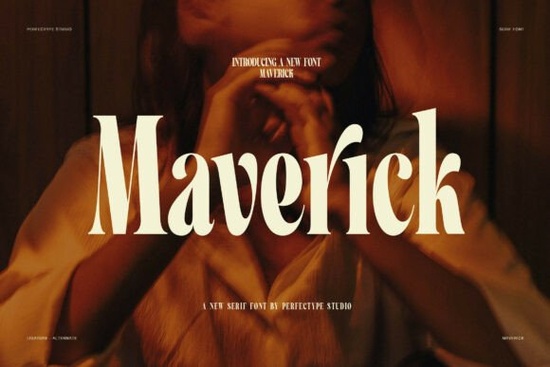
Choosing the right typography can define the entire feel of a brand identity. For designers and small business owners looking for a typeface that communicates luxury and confidence, the Maverick Font is a strong contender. This serif typeface stands out because of its tall letter shapes and sharp contrast between thick and thin strokes. It is not just about readability; it is about making a visual statement that feels premium and artistic. When you need text that grabs attention without shouting, this style offers a refined solution for various creative projects.
What visual style does this typeface offer?
The design philosophy behind this font focuses on elegance and strength. You will notice the narrow forms immediately, which make headlines look tall and graceful. This vertical emphasis helps save horizontal space while maintaining a large presence on the page. The sharp contrast in stroke weight gives it a classic high-fashion look, similar to styles seen in luxury magazines or high-end packaging.
Because of these characteristics, it works best for display purposes rather than long body text. The stylish curves add a human touch to the rigid structure of the serif forms. This balance ensures that the text feels custom-made rather than generic. If you are building a brand identity that needs to convey trust and sophistication, these visual cues are essential. You can explore more details on the dedicated serif fonts page to see how these characteristics apply across different weights and styles.
Which projects benefit from this design?
Print-on-demand sellers and crafters often need typography that looks good on physical products. This typeface is particularly useful for logos, titles, and packaging designs where space is limited but impact is necessary. Social media designs also benefit from the clear style, as the bold strokes remain legible even on smaller mobile screens.
- Logos: The strong display style creates memorable brand marks.
- Packaging: The elegant look suits beauty and fashion products.
- Social Media: High contrast ensures readability in posts and stories.
- Titles: Perfect for book covers or webinar headers.
For those who enjoy experimenting with different typographic voices, comparing this to similar high-contrast typefaces can help you decide which nuance fits your project better. While some fonts might feel more industrial, this option leans towards the artistic and refined side of the spectrum. It is ideal for businesses that want to appear established and polished from day one.
Are there custom stylistic options included?
One of the most useful features for designers is the inclusion of alternates and ligatures. These tools allow you to adjust how specific letters connect or appear, giving your text a unique fingerprint. Instead of every word looking standard, you can swap out characters to create a more custom flow. This is particularly helpful when designing logos where uniqueness is a priority.
Having access to these extras means you do not need to manually edit vector paths to achieve a custom look. You can stay within your design software and toggle these features on or off. This saves time during the revision process and allows for quick experimentation. It also ensures that the typography remains editable for future changes, which is crucial for client work or evolving brand guidelines.
How should you pair this with other text?
Since this font has a strong personality, it pairs best with simpler sans-serif typefaces for body copy. The goal is to let the serif display text shine while keeping the supporting information clean and easy to read. A neutral sans-serif will not compete with the sharp curves and contrast of the main headlines.
When creating layouts, try to use this font primarily for headings or short phrases. Using it for long paragraphs might reduce readability due to the high contrast and narrow width. Keep the hierarchy clear by using larger sizes for the serif text and smaller, lighter weights for the descriptive content. This approach maintains the premium feel without sacrificing user experience.
Quick Checklist for Using This Typeface
Before finalizing your design, run through these practical steps to ensure the best results:
- Check Legibility: View your design at 100% scale to ensure thin strokes do not disappear.
- Test Alternates: Try different ligatures to see which combination looks most balanced.
- Pair Carefully: Select a simple sans-serif font for body text to avoid visual clutter.
- Verify Licensing: Ensure your usage fits the license terms for commercial or POD projects.
- Export Correctly: When saving for web, ensure the font files are properly embedded or outlined.
Taking these steps will help you maximize the potential of the typography in your workflow. Whether you are creating a new logo or updating social media templates, attention to these details ensures a professional finish.
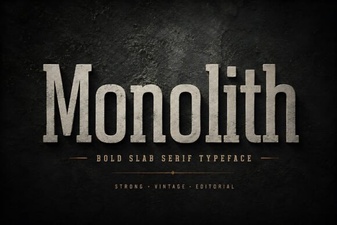 Monolith Font: Design Ideas & Applications
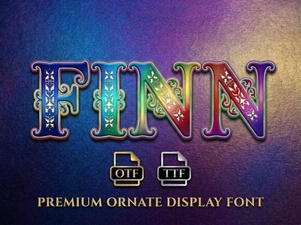 Finn Font: Typography for Craft & Creative Projects
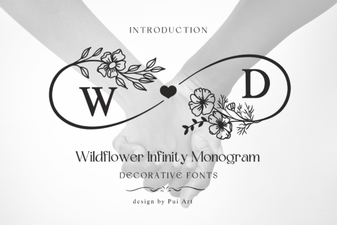 Wildflower Infinity Font for Monogram Art Projects
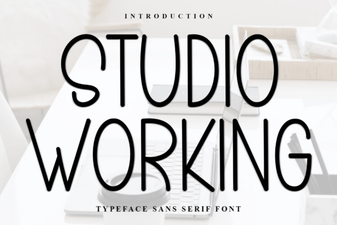 Fonts for Designers: the Studio Working Toolkit
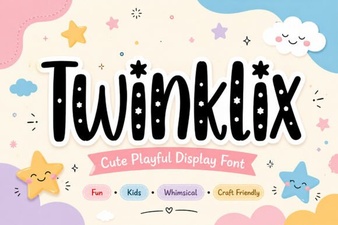 Discover the Twinklix Font for Creative Design Projects
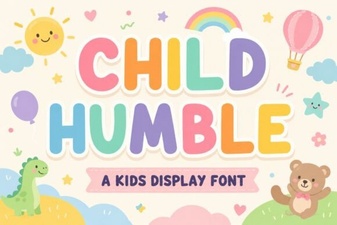 A Friendly Typeface for Children's Projects